 Community
 Video Library
 Agent Training
 Freshservice
 Freshdesk
 Freshchat
 Freshcaller
 Freshsales
 Freshteam
 Freshworks Neo
 Freshsurvey
Overview
To maintain a complete and transparent view of your service desk metrics, you can now choose to include merged, deleted, and spam tickets data within your Analytics reports. By default, these tickets are excluded from reporting visuals to prioritize active workflows. Enabling this feature ensures that historical and volume-based metrics reflect all ticket lifecycle events.
Admin settings
To enable the visibility of merged, deleted, and spam tickets in your reports, an administrator must activate the control within the global settings:
Log in to your Freshservice account.
Go to Admin > Global Settings.
Under Account Settings, select Service Desk Settings.
Scroll down to the Ticketing Preferences section.
Select the checkbox labeled Show merged, deleted, and spam tickets in reports.
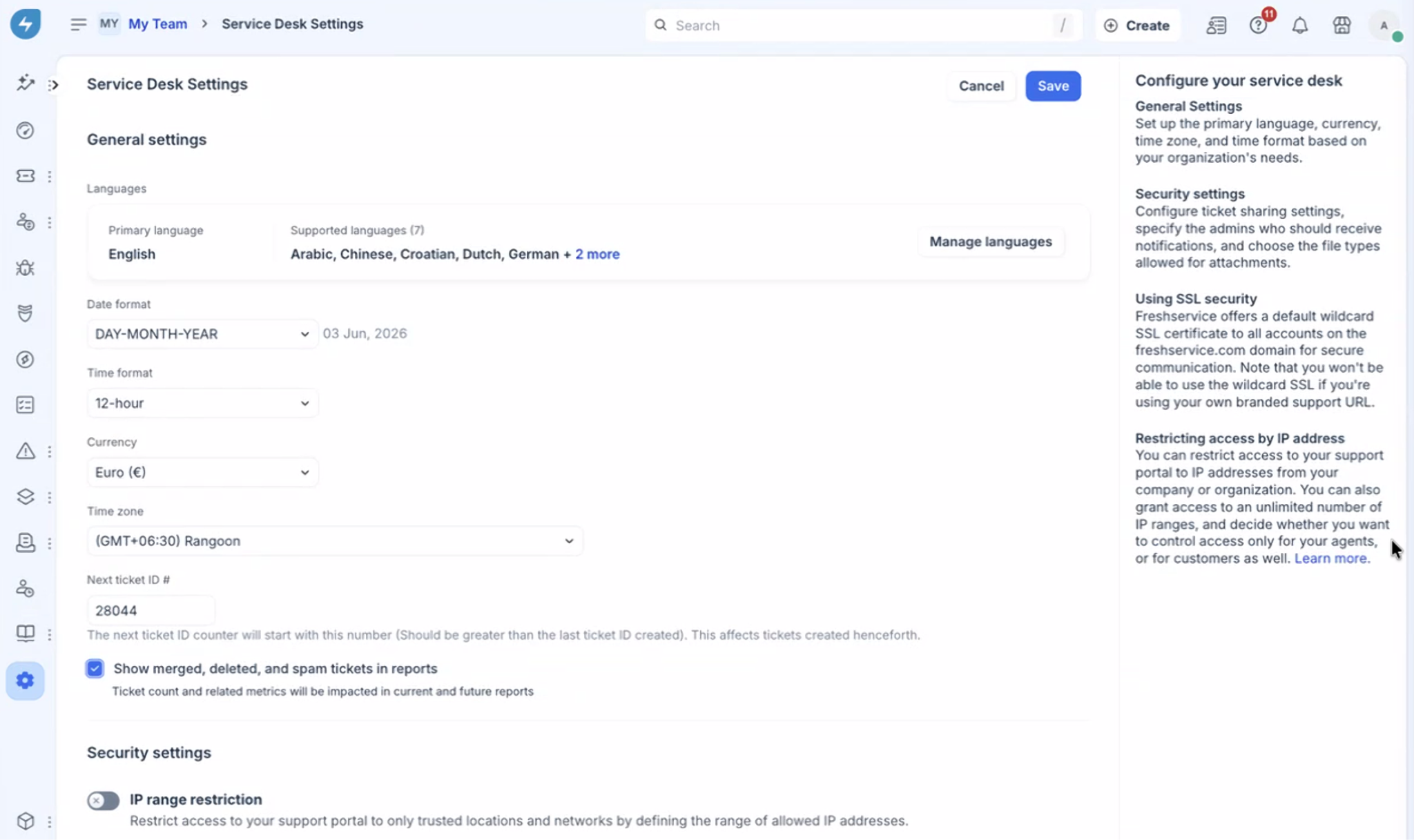
Click Save.
Important note: Once enabled, ticket counts and related metrics will be updated globally across both current and future reports. For example, a report widget previously showing 100 active tickets may automatically adjust to show a higher count (say, 150 tickets) to account for historical merged, spam, or deleted records.
Filter by ticket classification
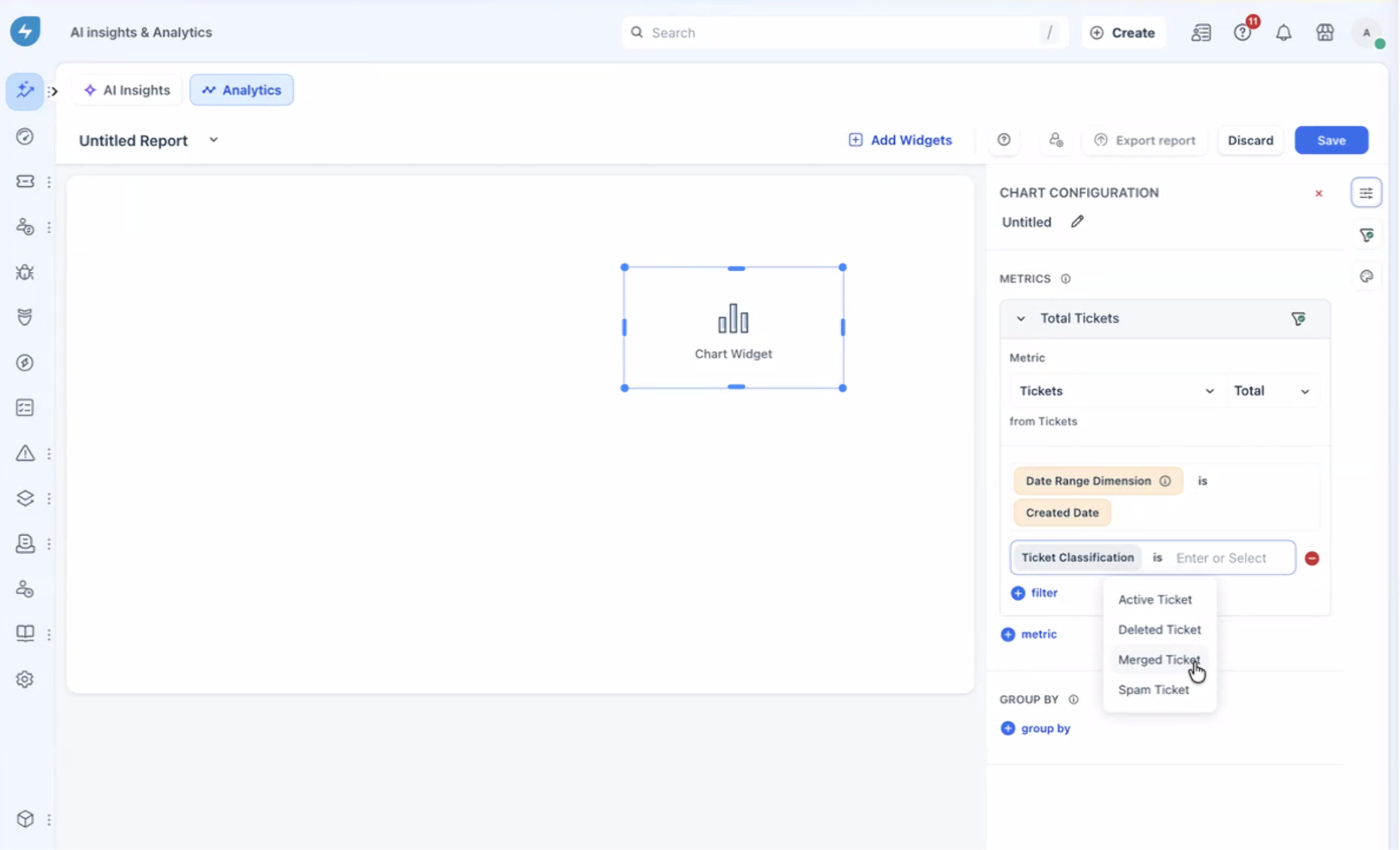
When the admin setting is active, a new attribute named Ticket Classification is introduced to your Analytics environment. This allows users to filter reporting data dynamically using the following values:
Active Tickets: Standard open, pending, or resolved tickets currently being handled.
Merged Tickets: Secondary tickets that have been combined into a primary ticket.
Spam Tickets: Tickets marked as junk or unauthorized communication.
Deleted Tickets: Trashed records removed from active queues.