
 Community
 Video Library
 Agent Training
 Freshservice
 Freshdesk
 Freshchat
 Freshcaller
 Freshsales
 Freshteam
 Freshworks Neo
 Freshsurvey
Passkey provides secure and passwordless authentication across Freshworks products. Users can sign in to all Freshworks products without a password by using a passkey. They can authenticate with their device biometrics, a PIN, or a hardware security key.
TABLE OF CONTENTS
Enable passkeys
You can enable passkey authentication for all the employees part of your organization. Follow these steps to enable passkeys for your organization.
Prerequisites - Ensure you have admin access to Freshworks.
Log in to Freshworks as an administrator.
Go to Admin > Security.
The Security Settings page is displayed.
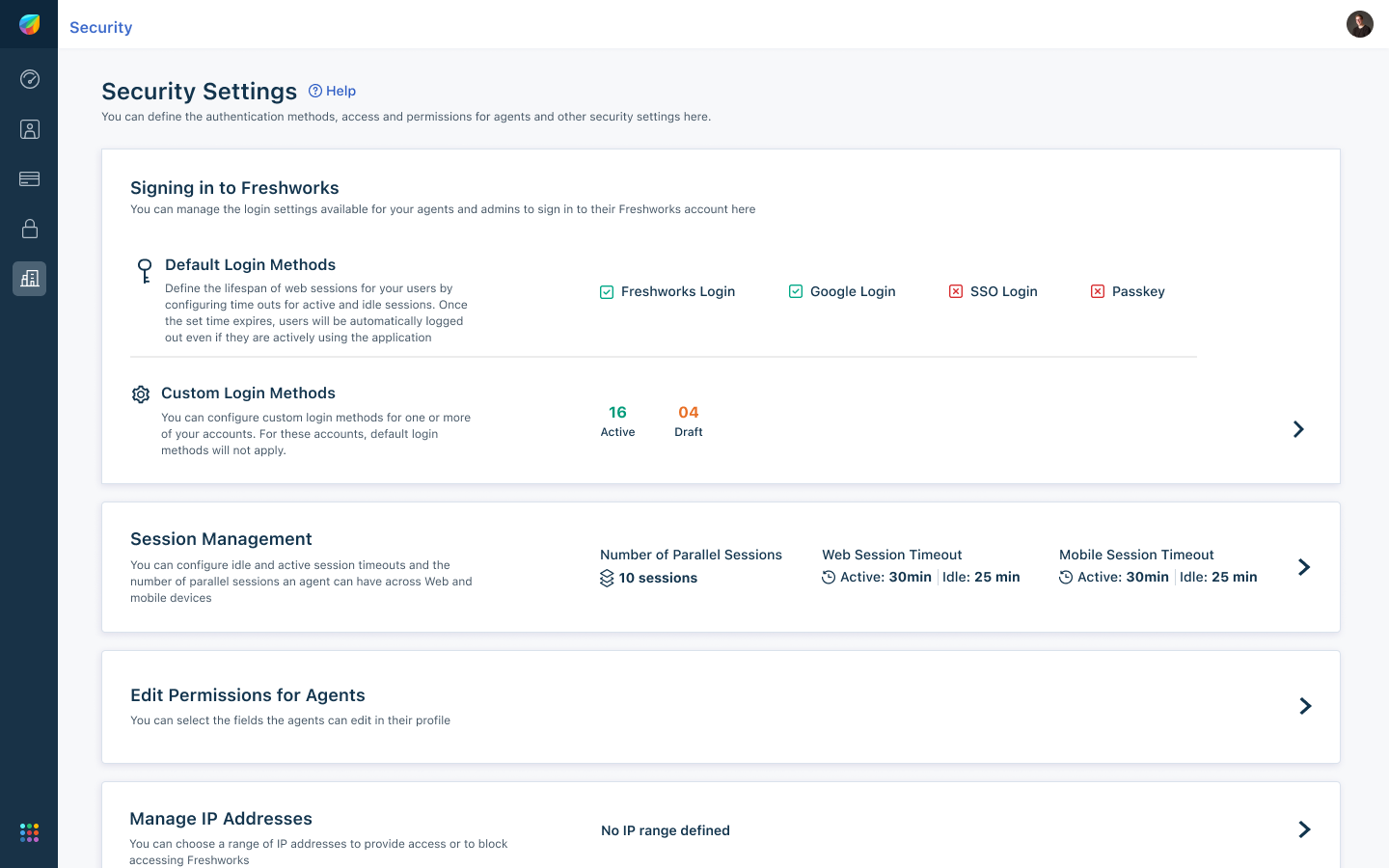
Under Signing in to Freshworks, click Default Login Methods.
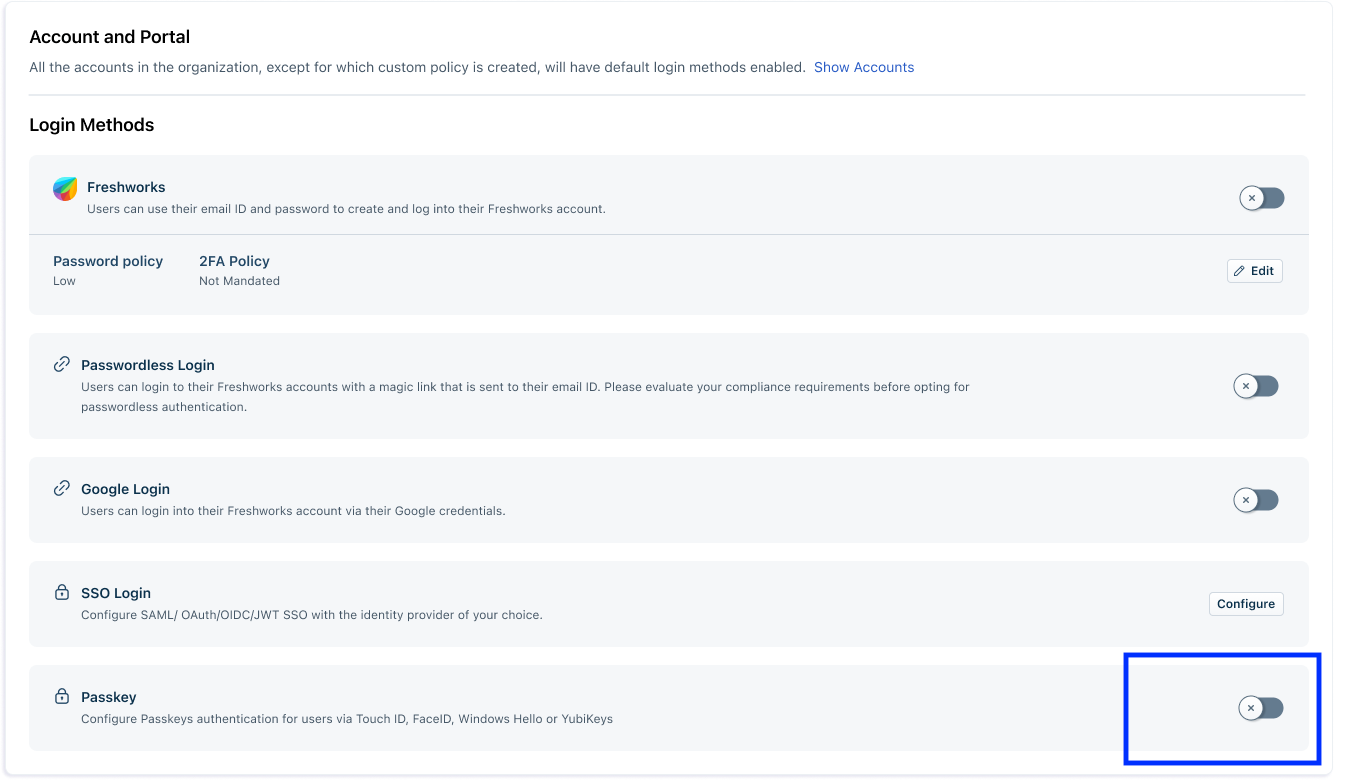
All the login methods are displayed on the Account and Portal pageTurn on Passkey toggle switch to enable passkeys.
A green checkmark appears next to Passkey to confirm activation of the Passkeys.
Users can now register and use passkeys to sign in to any Freshworks products.
Create a passkey
Before you log in to Freshworks using Passkeys, you have to create a Passkey. You can create a passkey during account activation or after the account activation from your profile. Follow these steps to register and create a passkey during account activation.
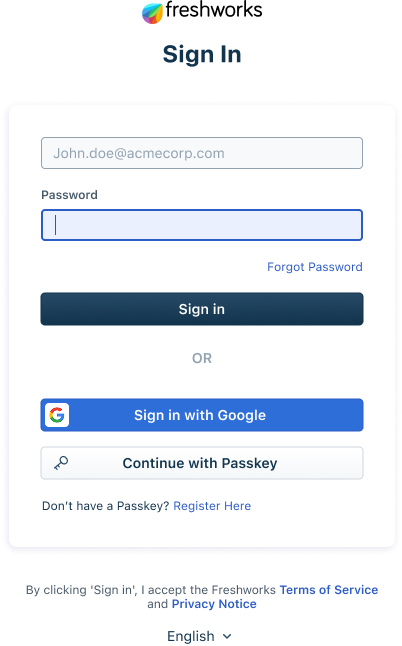
Go to Freshworks login page.
Click Continue with Passkey to register for Passkeys.
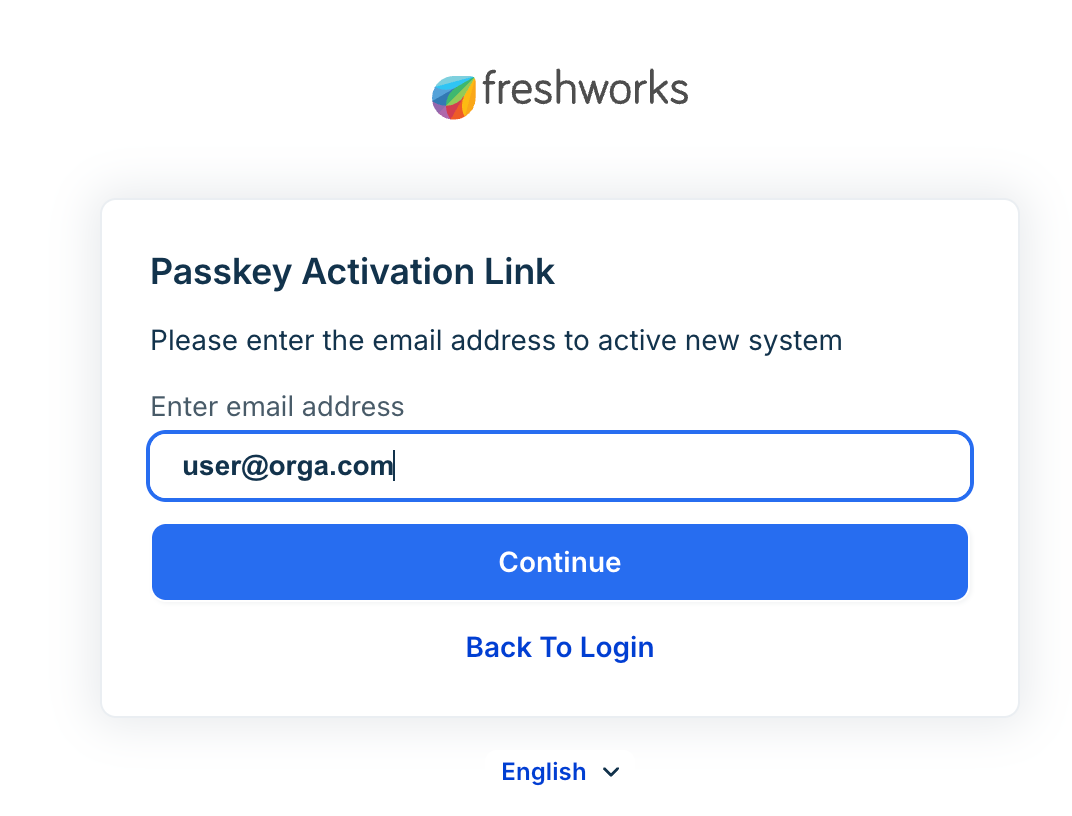
Enter your email ID and click Continue.
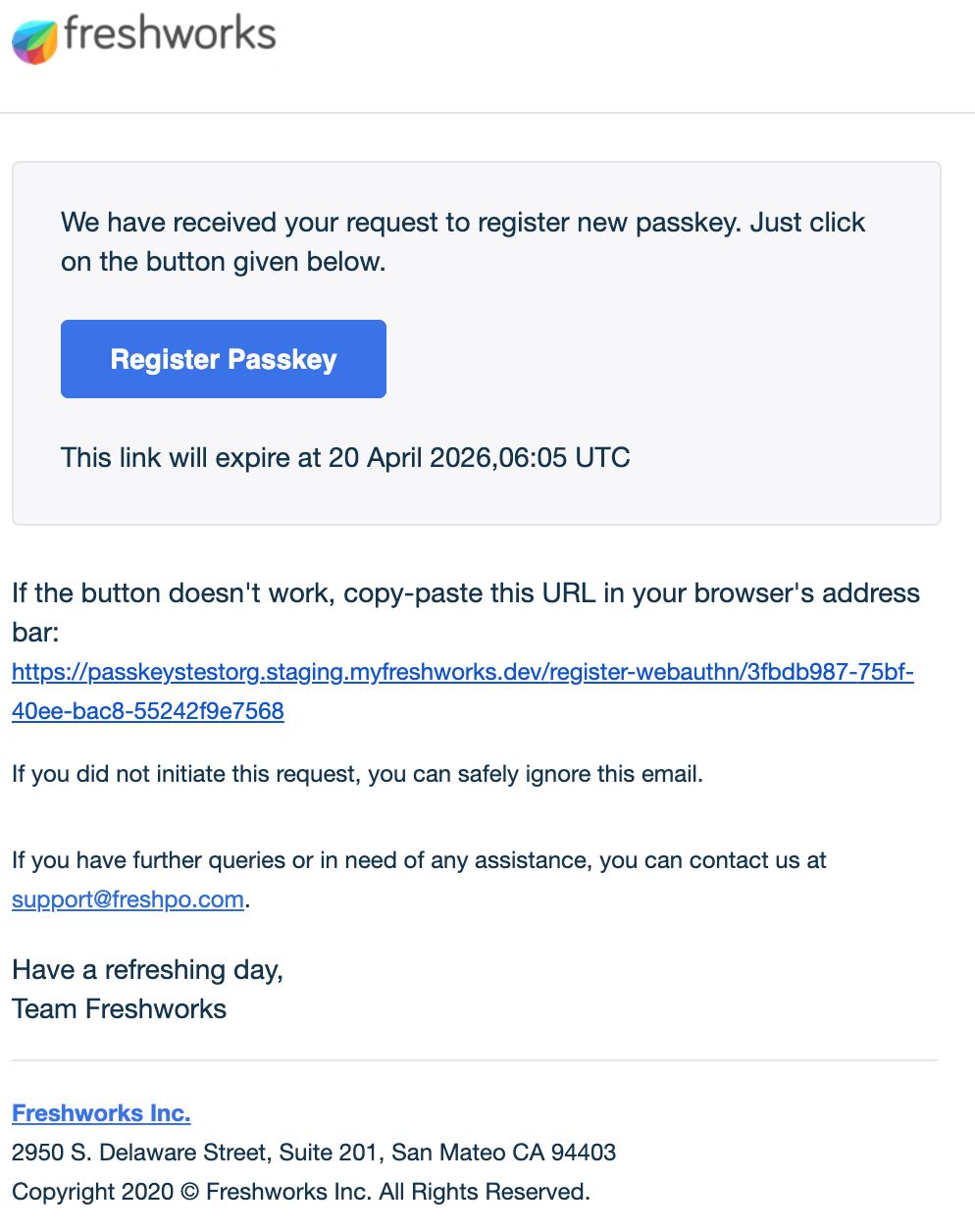
You will receive an email with an activation link.Click Register Passkey in the email.
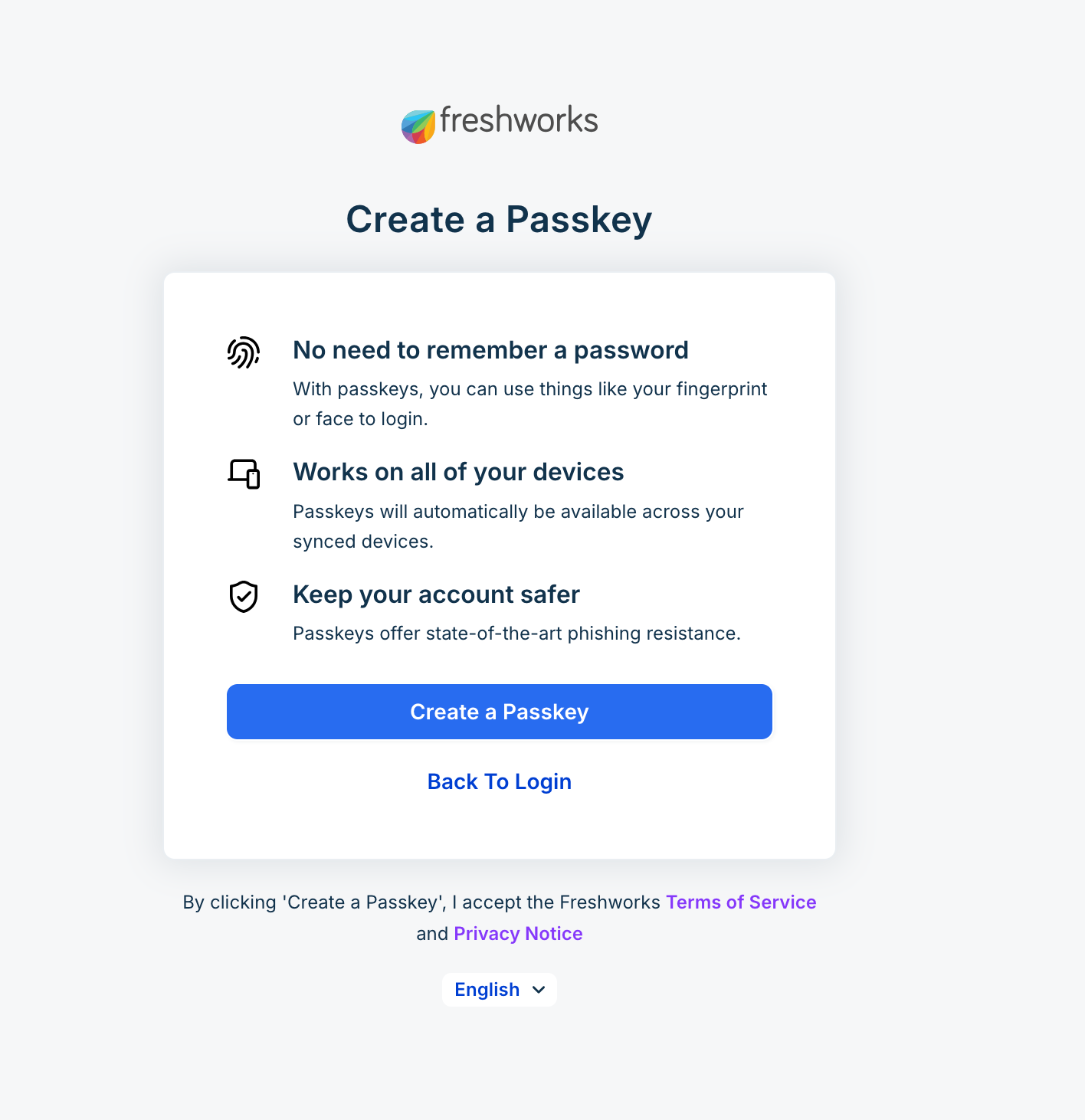
You are redirected to the Create a Passkey dialog box.Click Create a Passkey.
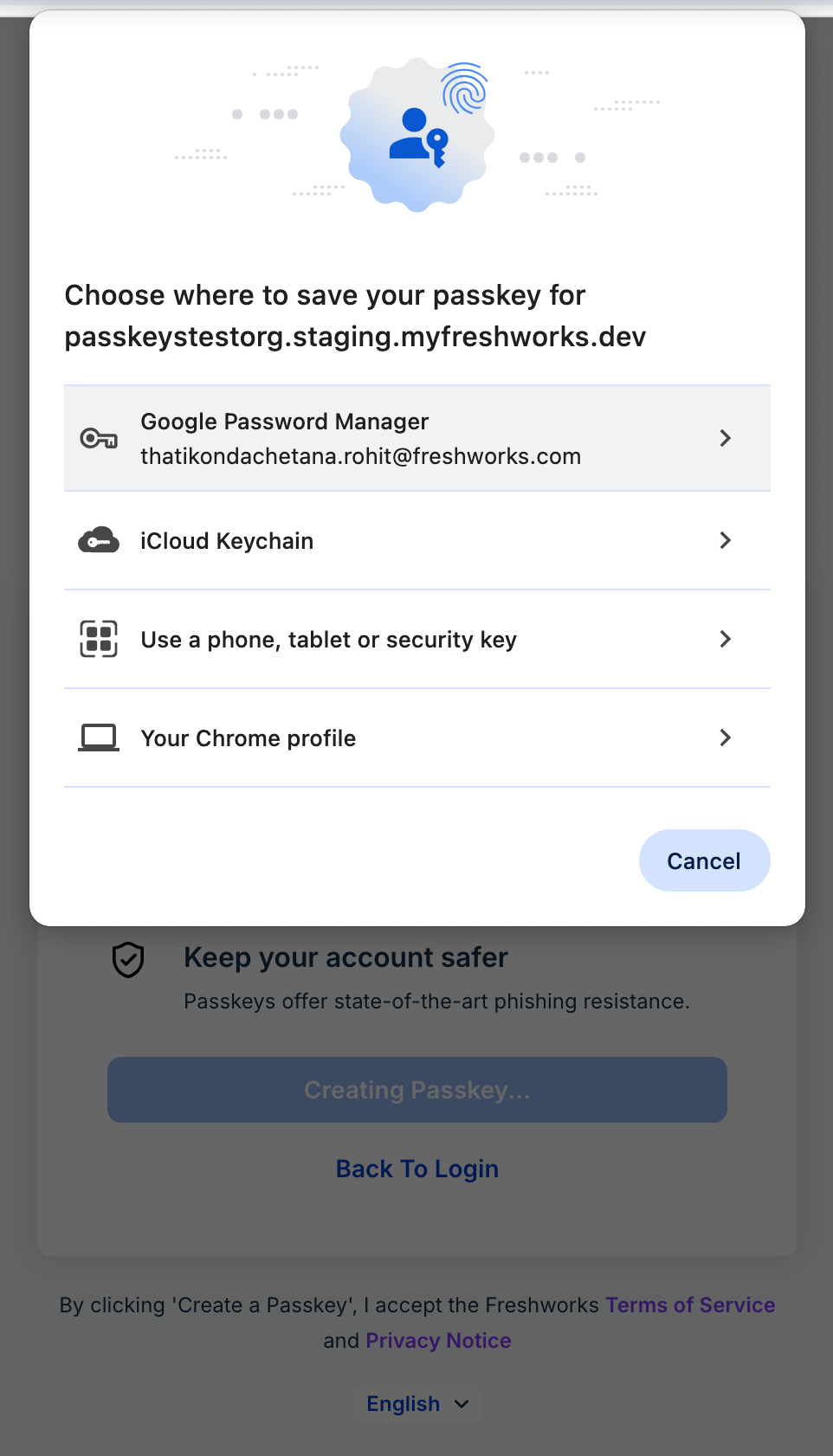
Select a device or password manager to save your passkey.
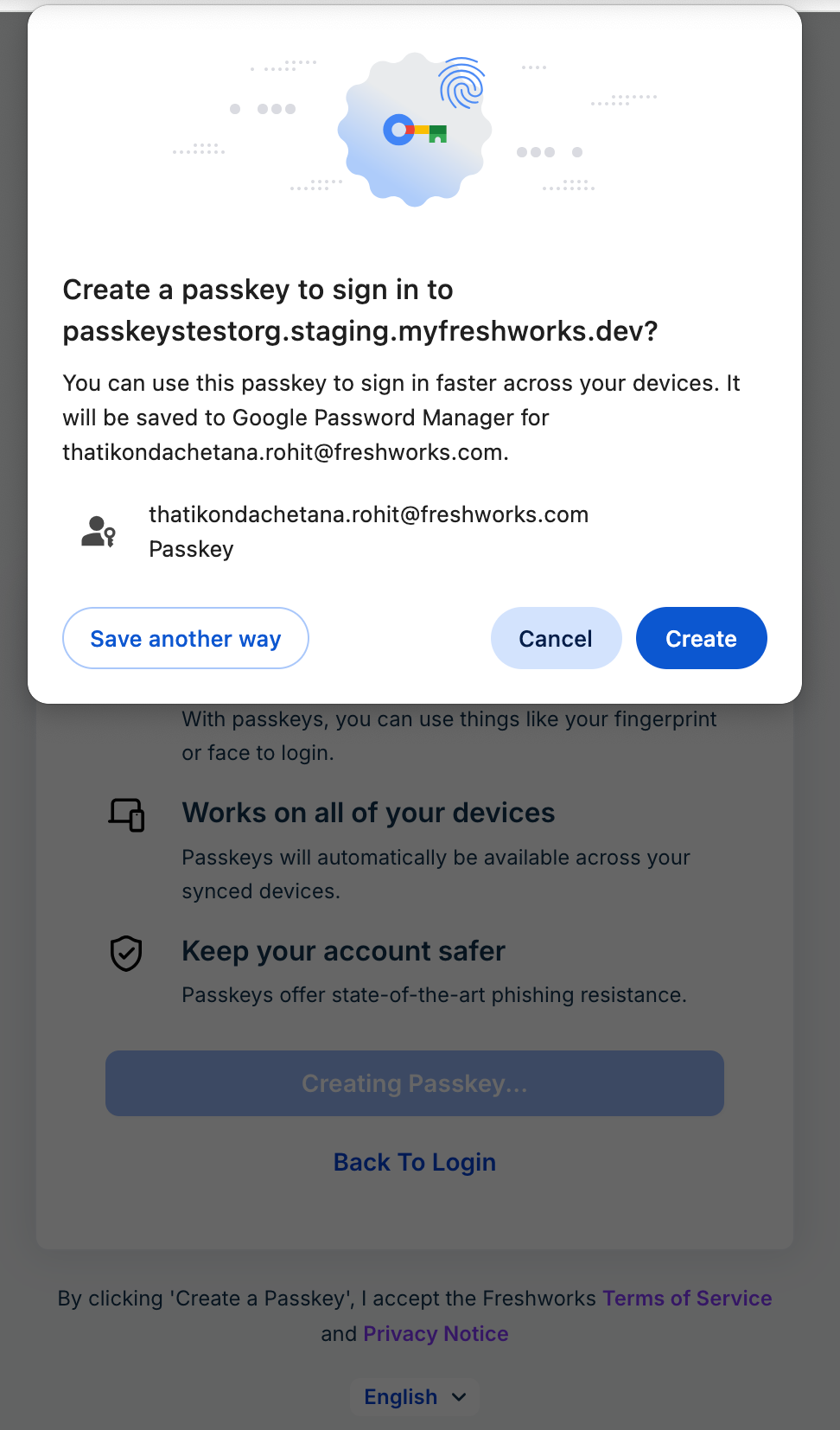
Based on the selected device or password manager, you will be redirected to a dialog box where you can confirm your choice and create a passkey.Click Create.
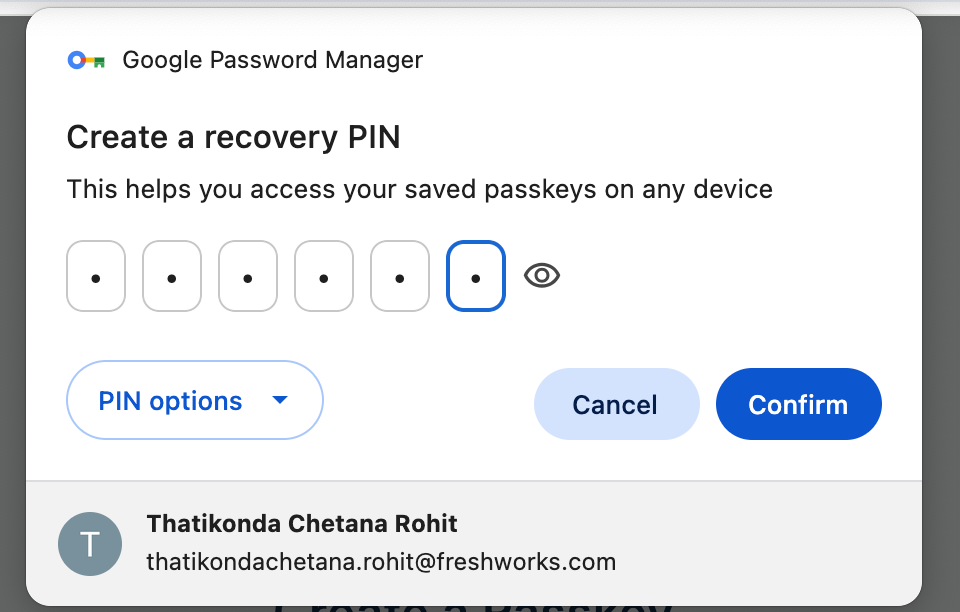
Enter a recovery PIN that helps you access your saved passkeys on any device and click Confirm.
Your Passkey is created.
Sign in to Freshworks using passkey
You can sign in to all the Freshworks products without passwords by using passkey through your device biometrics, PIN, or a hardware security key.
Prerequisites - To use passkeys for authentication, ensure that you use one of the following browser versions or later:
Chrome 108 or later (desktop or mobile version)
Edge 108 or later
Safari 16 or later (iOS or macOS)
Firefox 122 or later
Go to Freshworks login page.
Click Continue with Passkey.
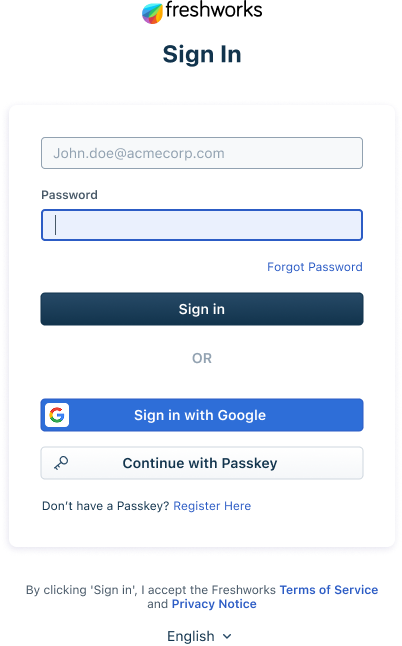
Use your registered device such as device biometrics, PIN, or a hardware security key to log in.